HabitGrip vs. HabitKit: Tile Grids or Flexible Tracking?
HabitKit fills a tile grid one day at a time; HabitGrip is a flexible local-first tracker with schedules, tasks, vacation mode, and widgets on the free tier. Compare pricing, privacy, and fit.
If you are searching for a HabitKit alternative, a HabitGrip vs HabitKit comparison really comes down to one design decision. HabitKit turns your habits into GitHub-style tile grids: one tap fills a small square, and the year fills up around them. HabitGrip trades the single iconic visual for flexible tracking — schedules that match real life, four habit formats, tasks, and vacation mode. Both are privacy-first and made without ads; they talk to your brain in different ways.
Choose HabitKit if the tile grid is what keeps you showing up each day. Choose HabitGrip if you want weekly-count schedules, timer and checklist habits, tasks next to your habits, or free-tier room beyond four habits. It is a visual ritual versus a flexible system — and neither is wrong.
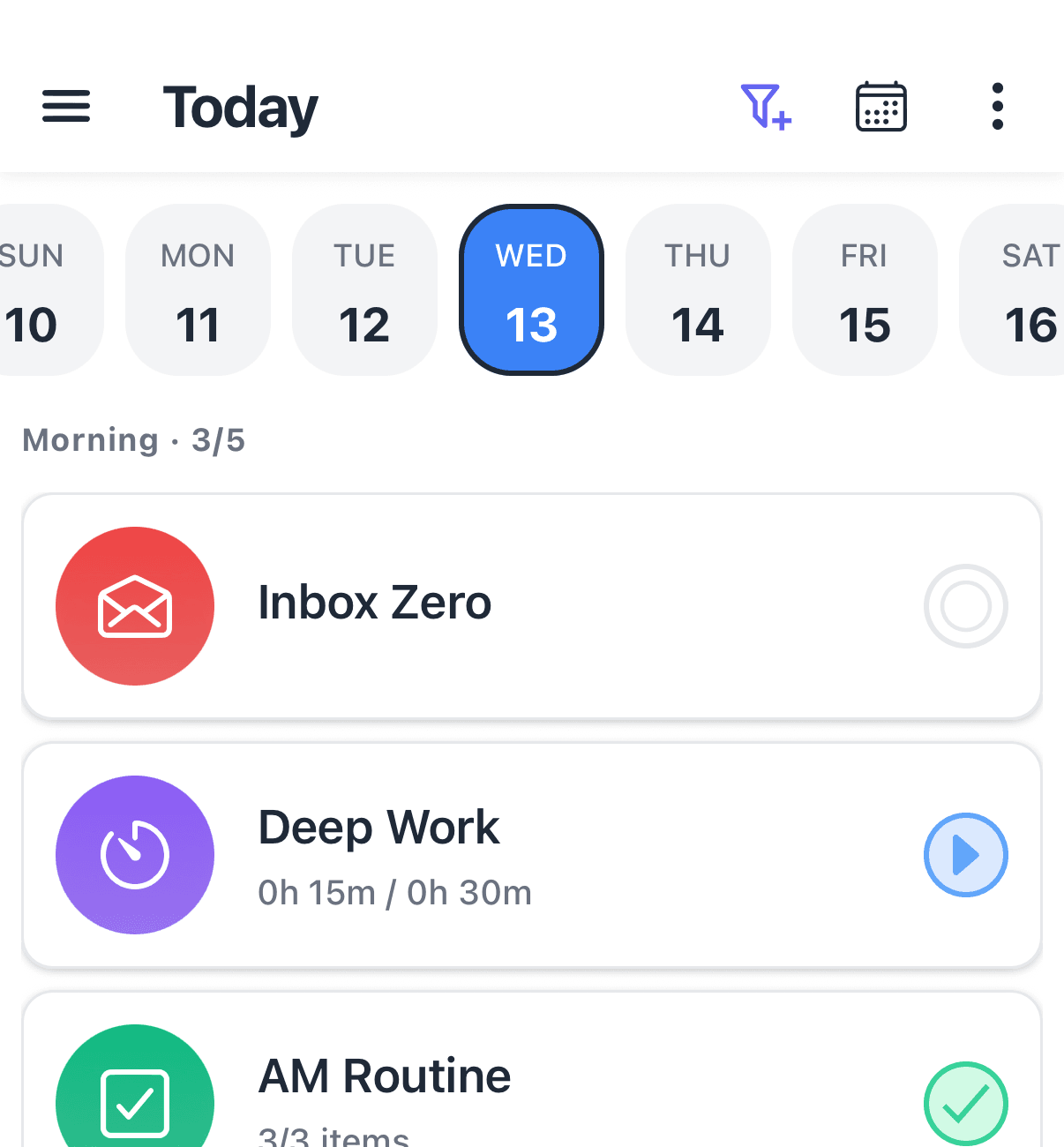
HabitGrip and HabitKit at a glance
| Feature | HabitKit | HabitGrip |
|---|---|---|
| Availability | Android and iOS | Android, with iPhone and iPad planned |
| Pricing | Free download tracks up to 4 habits; HabitKit Pro (~$1.99/month, ~$11.99/year, or ~$29.99 lifetime in the US) unlocks unlimited habits, widgets, and statistics | Free tier covers everyday tracking — habits included, widgets included; paid plans add scale and cross-device sync |
| Core visual | Tile grid per habit: every day fills one square, like a GitHub contribution graph | Heatmaps, streaks, and momentum stats across habits — visual, but organized around the day list |
| Privacy and data | No account, no servers, no cloud; data lives on your phone; purchases and crash reporting use third-party services | Local-first and usable without an account; optional sync is encrypted in transit |
| Habit formats | Yes/no tick; count with a daily goal; measured amounts with a unit and "stay below" limits for quit habits | Yes/no, numeric ("at least"/"at most"), timer, and checklist habits |
| Scheduling | Daily ticks plus frequency goals (3×/week, 20×/month); rest days do not break the chain | Specific days, every N days, ordinal dates, and flexible weekly counts |
| Missed and skipped days | Gaps stay unfilled in the grid; goals and rest days shield your streak | Done, skipped, and failed are separate statuses — skipped days are records, not failures |
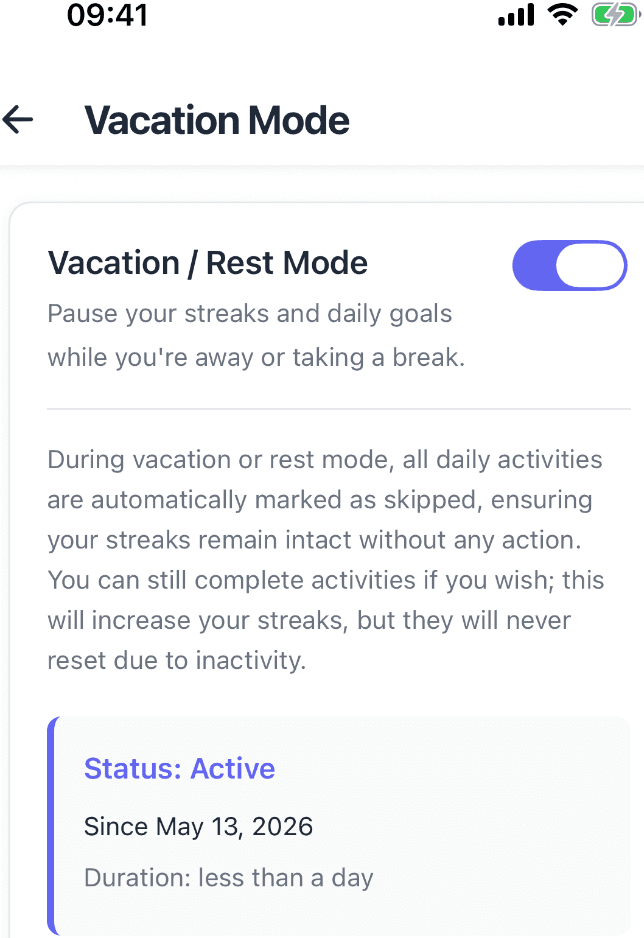
| Vacation handling | Archive a habit or rely on frequency goals to cover breaks | Vacation mode pauses habits for planned breaks without breaking the record |
| Tasks | Habits only | One-off and recurring tasks alongside habits, with profiles, tags, and filters |
| Widgets | Three Android and four iOS widgets — a Pro feature on both platforms | Eight home-screen widgets, including today, streak, heatmap, and momentum views — free tier included |
| Data portability | File export and import for moving phones — no automatic sync | Imports several habit apps' exports, exports data and local backups, optional sync |
Product details can change. The HabitKit entries above are based on its official website, app store listings, and help center as of publication; HabitGrip entries reflect this site's current product information.
Where HabitKit is the better fit
HabitKit's genius is reduction. Every habit is one grid of small squares — columns for weeks, one square per day — and checking off a habit fills the next tile. Within months that wall of grids becomes a record you can read at a glance: long stripes for consistency, pale gaps for the week you were sick. There is no counter to reset to zero; a missed day is a single pale square in a year, which is a genuinely calmer way to see failure than a number going down.
The app itself is respected for good reasons: it is built and supported by one person (Sebastian Röhl in Germany), on both Android and iOS since 2022, with steady updates and a 4.6–4.8 average rating across tens of thousands of store reviews. Measured habits get real depth — daily goals for counts and amounts with units, a "stay below" limit for quit habits, and frequency goals like 3×/week where rest days do not break the chain. Purchases are ad-free, there is no account or sign-up at all, and a one-time lifetime purchase sits next to the subscription if recurring billing bothers you.
Pick HabitKit if you mainly have simple yes/no habits, like the ritual of filling a tile each day, want an iPhone version today, and do not mind that unlimited habits, widgets, and statistics sit behind Pro.
Where HabitGrip is the better fit
The same tile grid that delights some people constrains a tracking system. A grid is one knob: filled or empty. HabitGrip is built for habits that need more texture. Four formats — yes/no, numeric targets with at-least and at-most rules, timer sessions, and multi-step checklists — cover hydration, focused work, and morning routines alike. Tasks exist alongside habits in the same Today view, so "file taxes by April" and "read 20 pages" live together instead of forcing you to bend one into the other.
Schedules match real rhythms too. Specific weekdays, every-N-day intervals, ordinal dates, or flexible counts — three times a week without preselecting days. And when life intervenes, HabitGrip records it honestly: done, skipped, and failed are separate statuses, so a planned skip stays a record rather than a blank square pretending nothing was scheduled. Vacation mode pauses habits for planned breaks without breaking the record — useful when the alternative is archiving a habit and losing its rhythm.
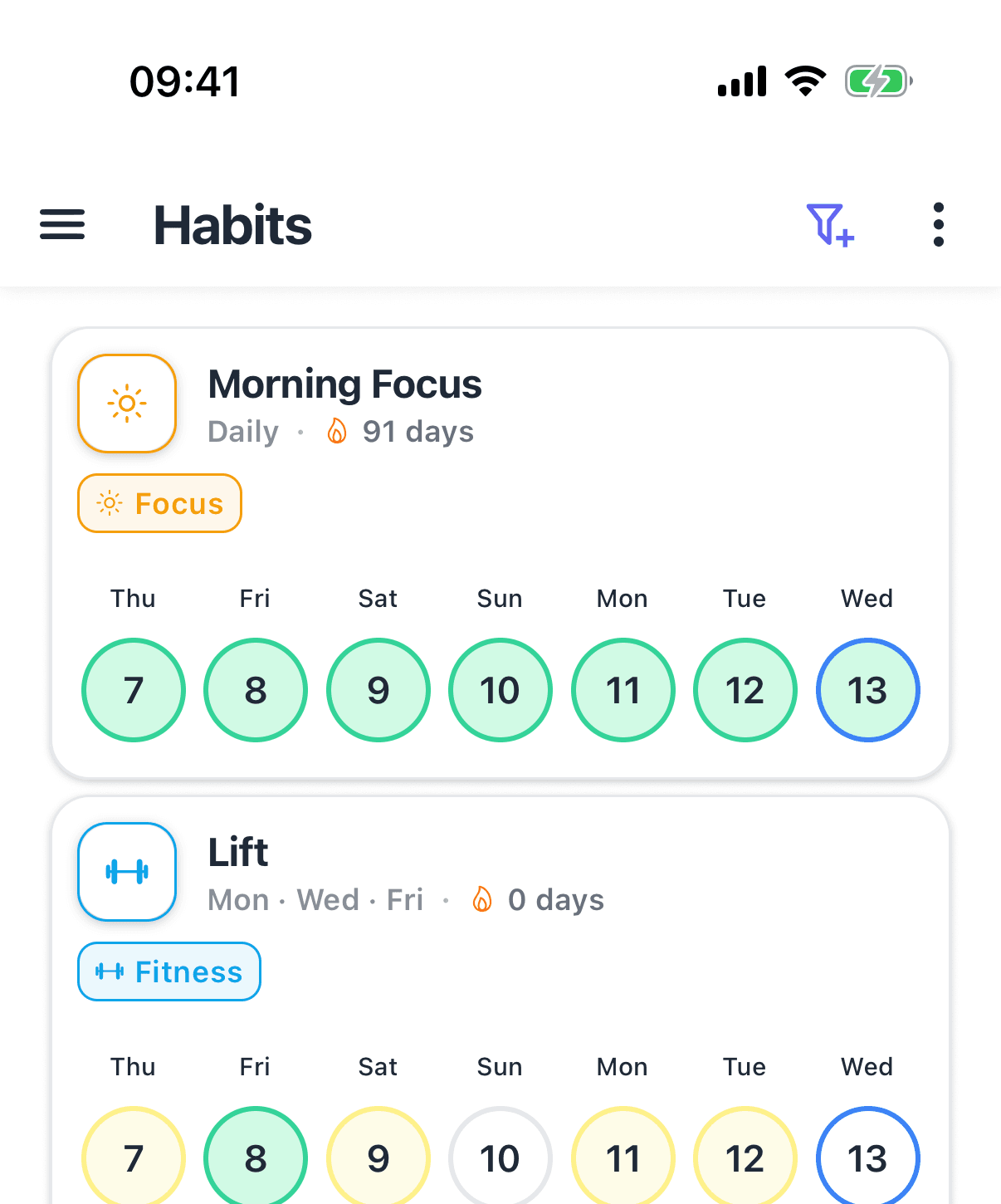
Two practical differences decide things for many people. First, the free tier: HabitGrip's free plan covers everyday tracking with widgets included, so you can run a real multi-habit setup and see it on your home screen before paying a cent. Second, starting over: HabitGrip imports your export files from Loop Habit Tracker, Habitify, Habit Bull, Productive, and HabitNow, so switching does not mean losing your history. Optional sync is there if you want your record on multiple devices, encrypted in transit and never a requirement.
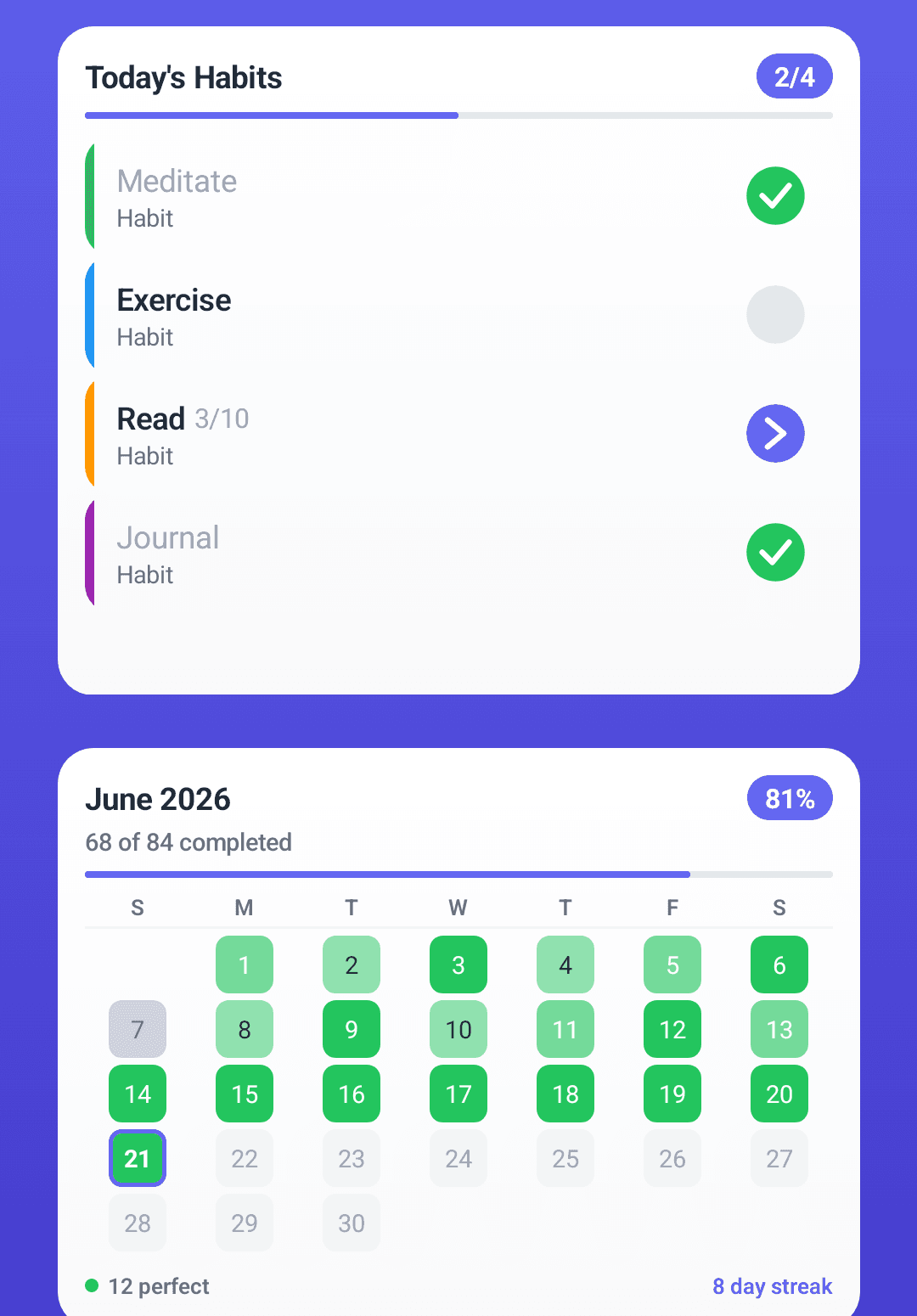
Switching from HabitKit to HabitGrip
There is no direct HabitKit import in HabitGrip — its ready-made importers cover Loop Habit Tracker, Habitify, Habit Bull, Productive, and HabitNow, based on their export formats, and HabitKit's export format is its own. Use HabitKit's standard export (the same flow its help center recommends for moving phones) to create a file, and keep that file as your permanent archive of the years you tracked.
Recreating your habits takes about ten minutes for a typical setup, and most people find it is a useful audit: set up only the habits you intend to keep, with the schedule you actually live. Run both apps in parallel for a week, verify your HabitGrip schedules feel right, then stop using HabitKit. See the custom import documentation for the exact formats HabitGrip does ingest, in case you ever want to script a conversion from your HabitKit export.
Frequently asked questions
Is HabitKit free?
HabitKit is free to download and ad-free, and the free tier tracks up to 4 habits with unlimited daily ticks. Beyond that, HabitKit Pro unlocks unlimited habits, home-screen widgets, and statistics: it is priced as a monthly or yearly subscription (about $1.99/month or $11.99/year in the US) or a one-time lifetime purchase (about $29.99 in the US), varying by region and store. If you track more than four habits for a long time, compare that recurring cost with a free-tier tracker before committing.
Do HabitKit home-screen widgets cost money?
Yes. According to HabitKit's own widget guide, home-screen widgets are a Pro feature on both iOS and Android — without Pro, an iOS widget shows your grid blurred behind a padlock and an Android widget shows a Pro requirement. HabitKit ships three Android widgets (small, medium, and a resizable compact list). HabitGrip includes eight home-screen widgets — today, streak, heatmap, and momentum views among them — on its free tier.
Does HabitKit sync between devices?
Not automatically. HabitKit stores habit data on your phone with no account, no servers, and no cloud — real privacy advantages. Moving to a new phone (or from iOS to Android) means exporting your data to a file and importing it on the new device, which is a snapshot rather than a live copy; a Pro purchase is transferred manually via support. HabitGrip works the same way by default, with file exports you control, and additionally offers opt-in cloud sync if you want history to follow you across devices automatically.
Can I move my HabitKit data to HabitGrip?
Not as a direct import. HabitGrip currently has no HabitKit-specific importer — its ready-made importers cover exports from Loop Habit Tracker, Habitify, Habit Bull, Productive, and HabitNow. Export your HabitKit data as a file (its standard phone-transfer flow) and keep it as your archive, then recreate your habits in HabitGrip — usually ten minutes for a typical setup — and run both apps in parallel for a week before you stop using HabitKit.
Which should I choose, HabitKit or HabitGrip?
Choose HabitKit if you are all-in on the tile grid and it keeps you showing up daily, you value an iPhone version today, and you are happy with a Pro subscription or lifetime purchase for unlimited habits and widgets. Choose HabitGrip if you track more than a few habits on the free tier, want timer and checklist formats or weekly-count schedules, prefer done/skipped/failed honesty over pure streaks, or want vacation mode and task support built in. Both are privacy-first; the difference is the interface philosophy, not trust.
Sources
- HabitKit on Google Play
- HabitKit website
- HabitKit help center: widgets
- About HabitKit (developer's page)
Comparing more options? See our take on HabitGrip vs. Loop Habit Tracker — the closest local-first rival — our ranked guide to the best habit trackers of 2026, or how to track habits without obsessing over streaks.
Whichever app you choose, the system matters more than the tool — our complete guide to habit tracking covers the practice.
A flexible tracker, free where it counts
HabitGrip combines flexible habits, tasks, vacation mode, and widgets on its free tier — with optional sync when you need it.